
Create your own table tennis tournament.
From office ping pong to club events, organize your table tennis tournament, manage rounds and follow the standings — all in one place.
Choose your table tennis tournament format.
From the first serve to the final match.
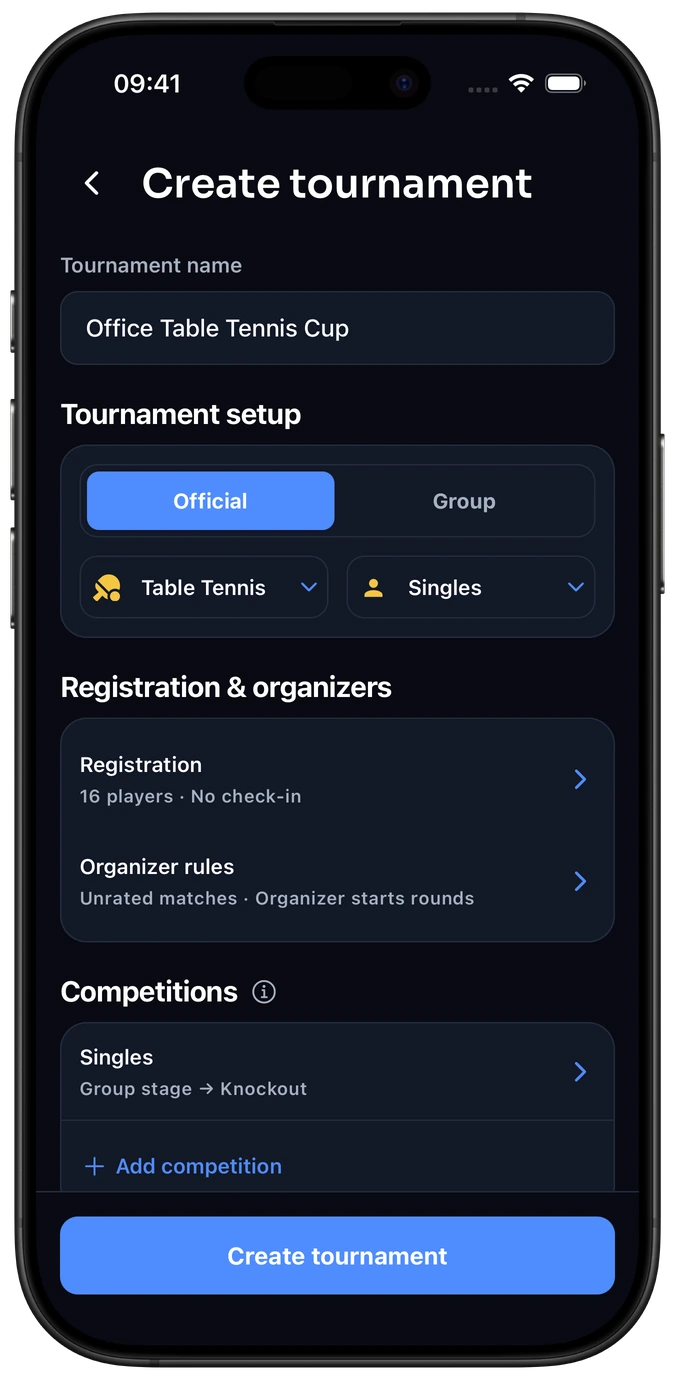
Choose your players
Start from your table tennis group or create an event directly for standard Table Tennis Singles.
Shape your event
Choose your stages and rounds. Agree whether each match is one game or a best-of series, and plan around table availability.
Play through the rounds
Record results and follow your tournament standings through to the finish.
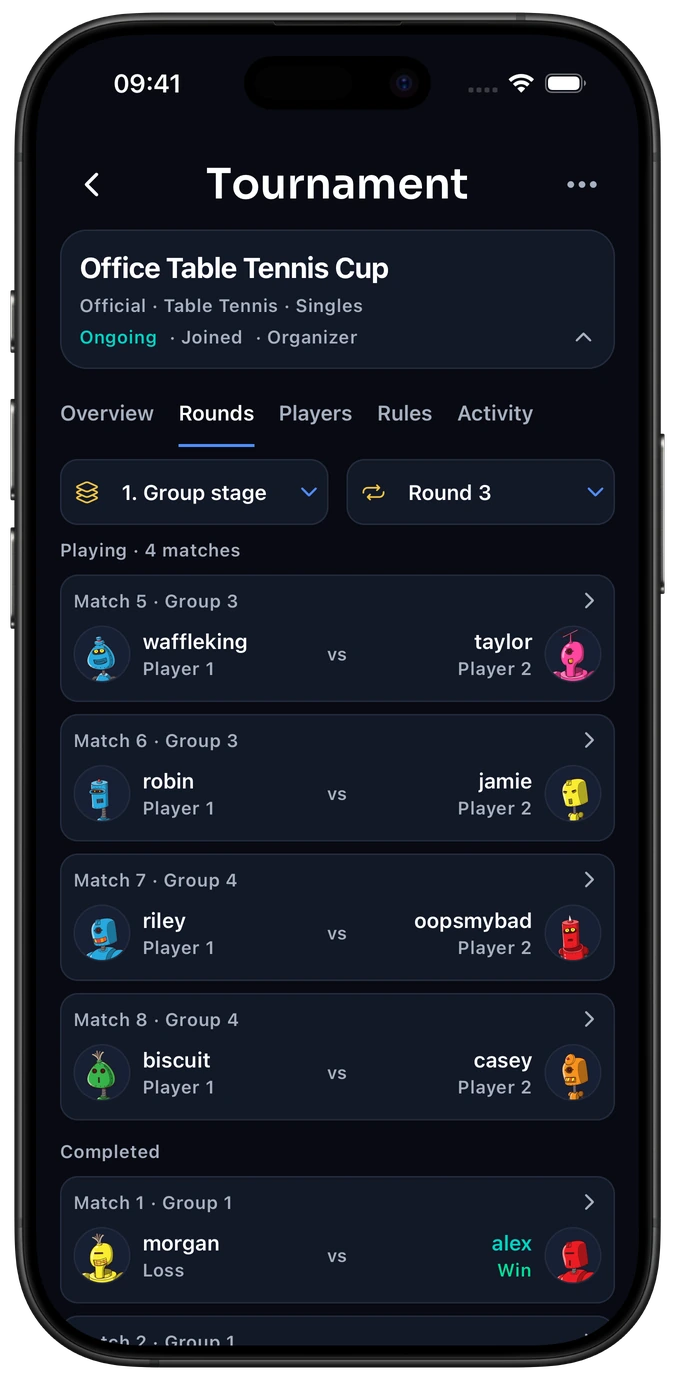
Follow each round
See the table tennis matches in each round, with opponents and results kept together.
Keep results together
Keep the match result and points per game together as players confirm.
See what’s next
Follow the group matches before qualifiers advance to knockout.
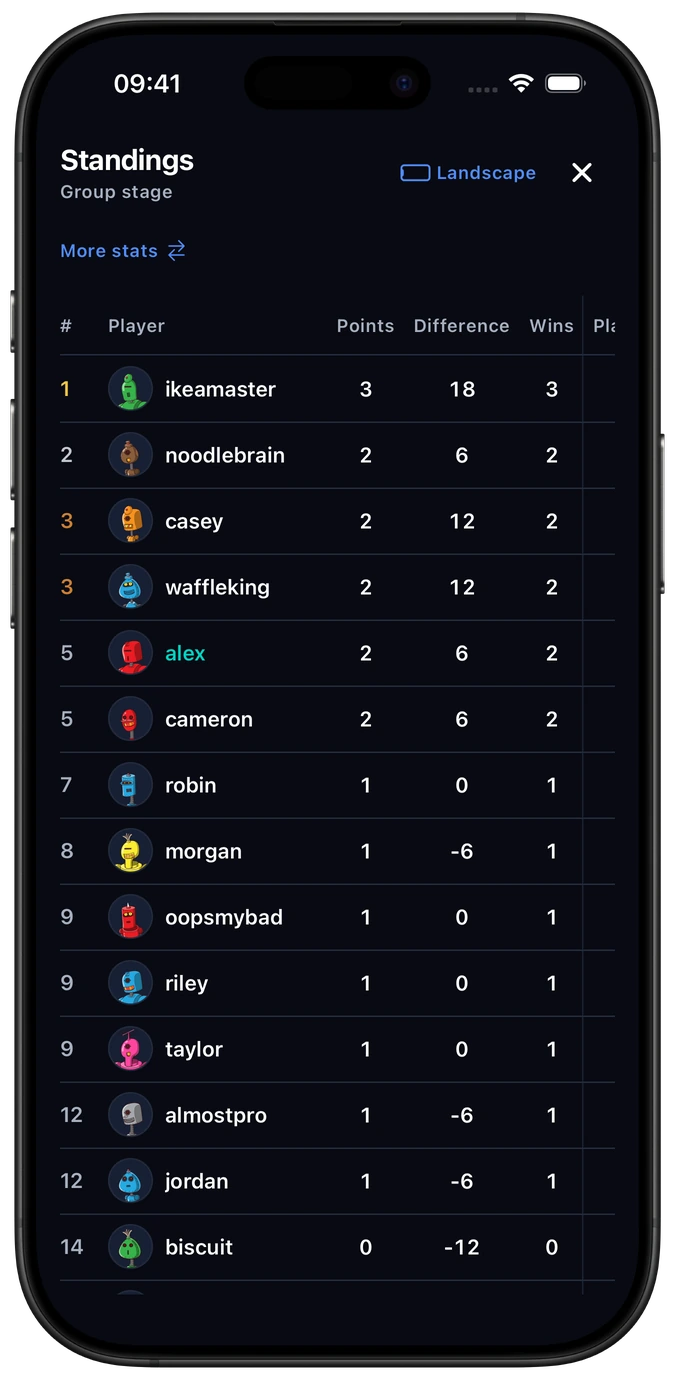
Follow the standings
Compare tournament points, wins and losses as group results are confirmed.
Your event standings
These results belong to this tournament, separate from ongoing activity and group ratings.
From pools to the final
Follow the group matches before qualifiers advance to knockout.
Frequently asked questions
Do I need a group to run a tournament?
No. Start directly with standard Table Tennis Singles or create an event within an existing group. A table tennis group also gives regular players an ongoing leaderboard between events.
Can we run a tournament with just one table?
Yes, if your event plan leaves enough time for every match. Use a smaller field, spread rounds over several breaks or choose shorter matches. Two pools of four require 12 pool matches before semifinals and a final.
Can we combine pools with knockout?
Yes. Decide how many players qualify from each pool and how ties are resolved before play begins. Elo-X also supports Swiss and round robin stages. Compare tournament formats →
Can we run a Doubles tournament?
Use a custom team group configured for 2v2, then create your event from that group. Standard global Singles ratings are a separate competition. See Table Tennis formats and ratings.
Do all players need an Elo-X account?
Yes. Participating players join with their own Elo-X accounts. Agree on match length and result logging before the event so everyone follows the same rules.
Start your table tennis tournament.
Set up your tournament, invite players and keep the competition moving.

